Live playback · Mac · iPad · iPhone

Run the show.

Backline plays your multitrack stems with click, count-ins and spoken cues — every part on its own output of any audio interface, sample-accurate, night after night.

macOS 13+ · iPadOS 17+ · iOS 17+ · No account · Works offline

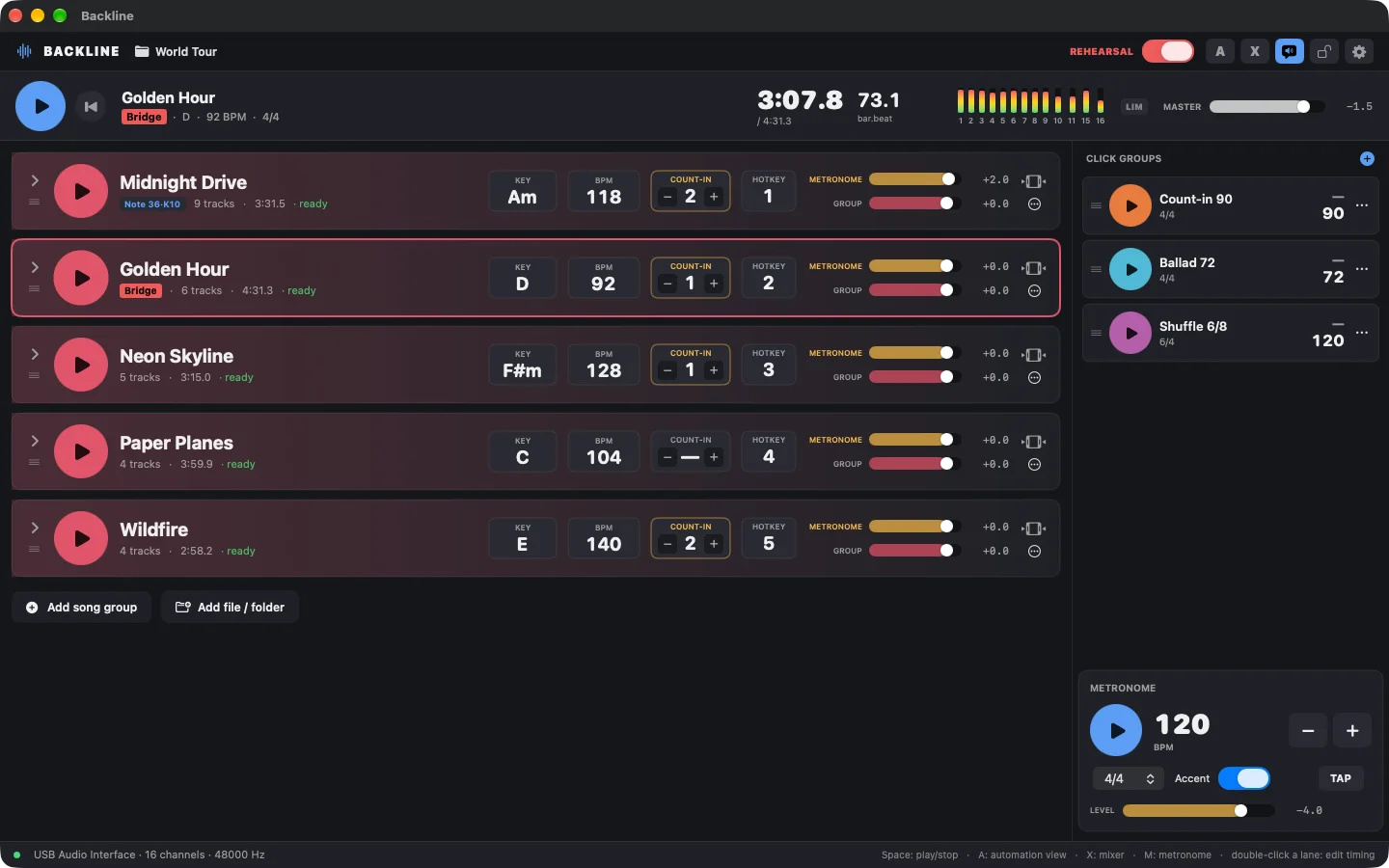
Backline on Mac playing the song Midnight Drive: nine stems with waveforms, live output meters, song sections and the set list.
Backline in 60 seconds — recorded from the app, sound on.
What is Backline?

Your backing tracks, click and cues in one stage-ready app.

Backline is a live playback app for musicians who perform with backing tracks. You load each song as a folder of stems, map them to the outputs of your audio interface and build your set list.

On stage, one tap (or a MIDI pedal) starts the song: front of house receives the stems on separate channels, while the band hears the click, the count-in and the name of the next song in their in-ears — never the audience.

Bands & artists Musical directors Worship teams Drummers Theatre & events Rehearsal rooms
256output channels, user-defined
0samples of drift between stems and click
+12 dBfaders with a built-in limiter
3platforms: Mac, iPad, iPhone
Features

Everything a live playback rig needs. Nothing it doesn’t.

Playback

Your whole set. Perfectly in sync.

Stems, click and cues run on a single sample clock, so nothing drifts — not in the first song, not in the last. Audio is loaded into memory before you press play, so there is no disk streaming to hiccup mid-song.

  • Multitrack stems per song, any number of tracks
  • Song sections, key, tempo and per-song count-in at a glance
  • Auto-advance to the next song when one ends
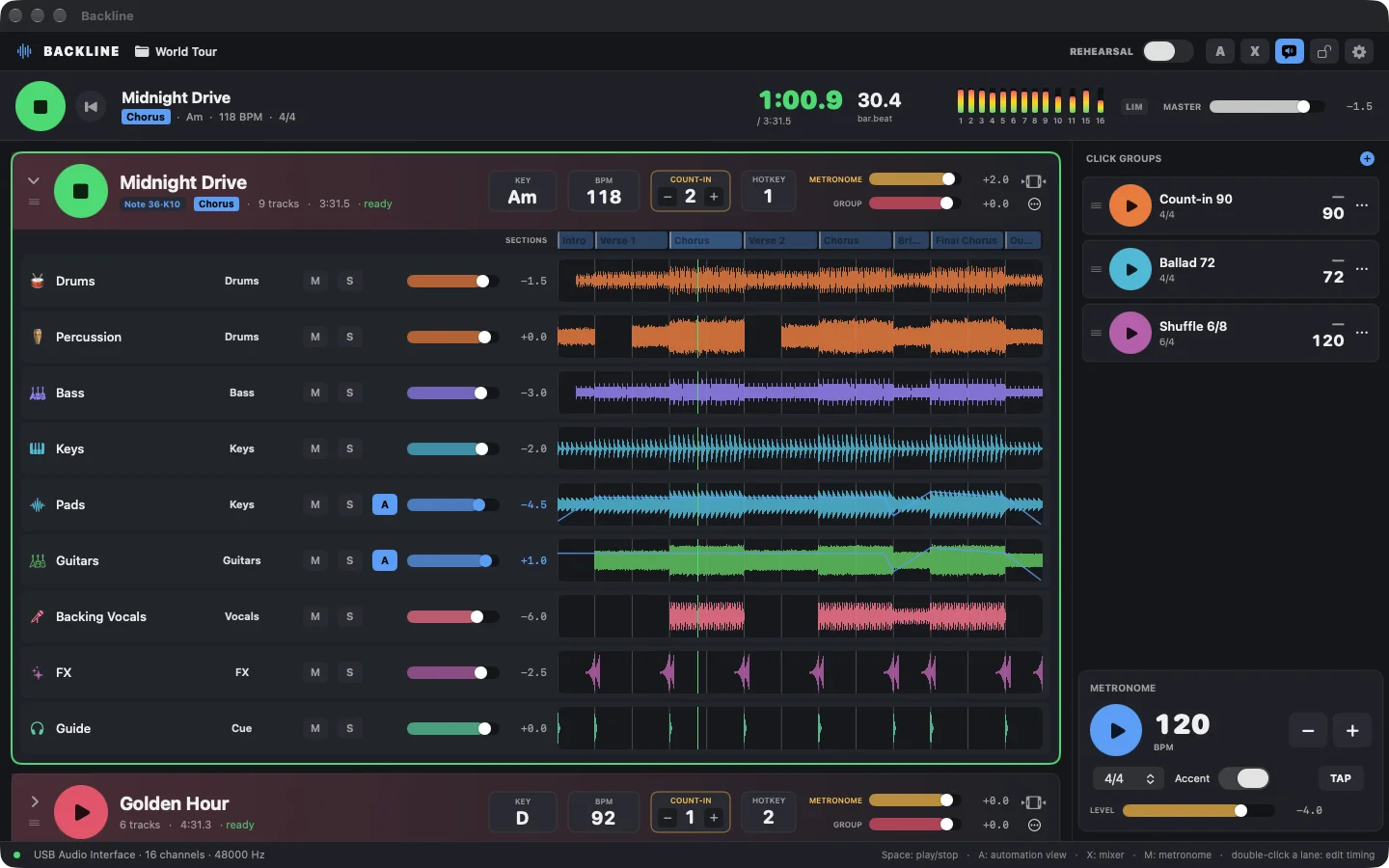
Backline song list with stems, waveforms and output meters
Click & cues

Never miss the downbeat.

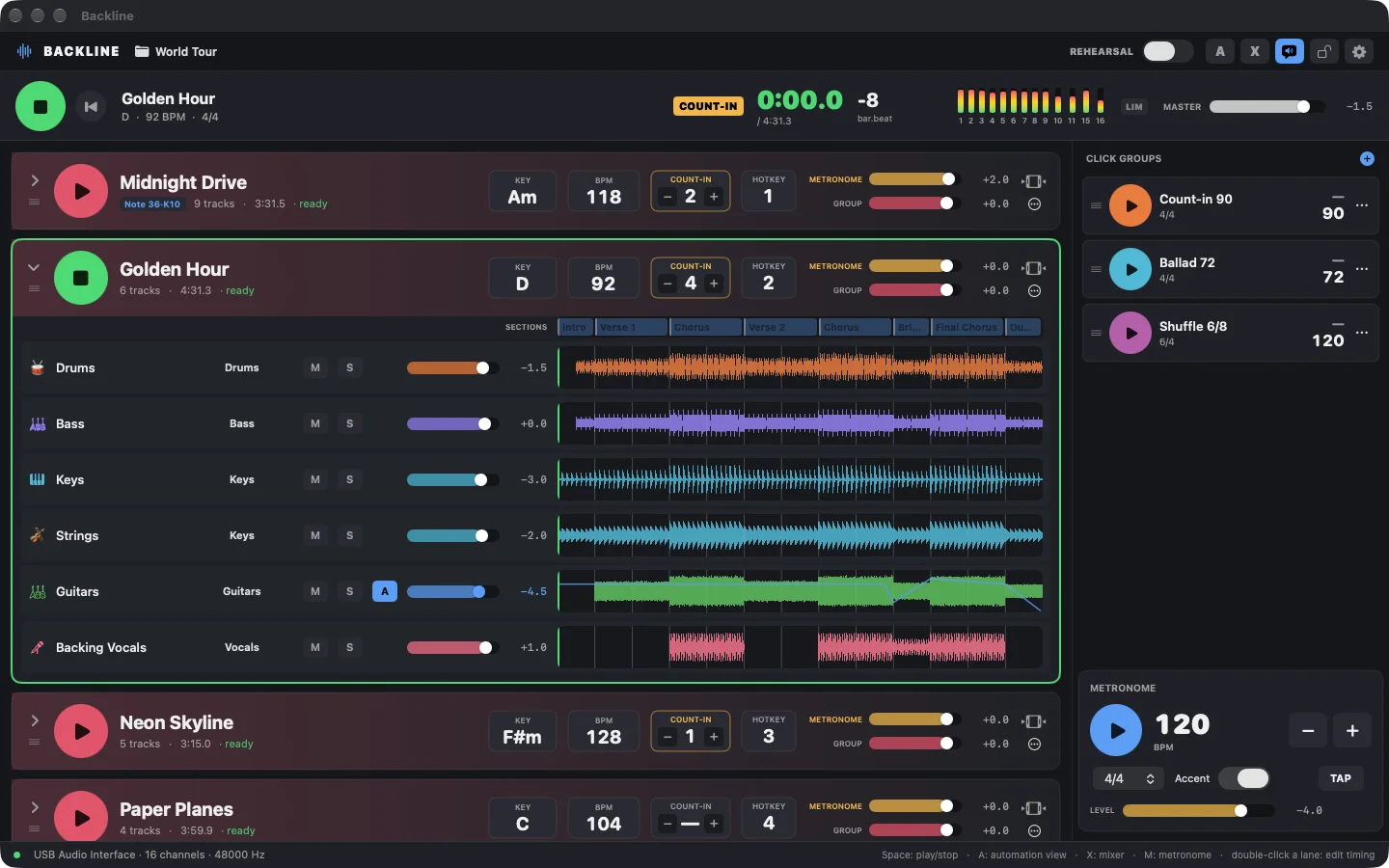
Every song can count itself in. Backline can also say the name of the next song — “Next song: Golden Hour, D” — so the band always knows what’s coming. Both go only to the cue output, at a level you set.

  • Per-song count-in bars, accented metronome
  • Spoken song names and metronome presets on the cue output
  • Click-only groups for songs without stems
Backline counting in before the song Golden Hour, with the COUNT-IN badge in the transport
Mixer

Mix it live.

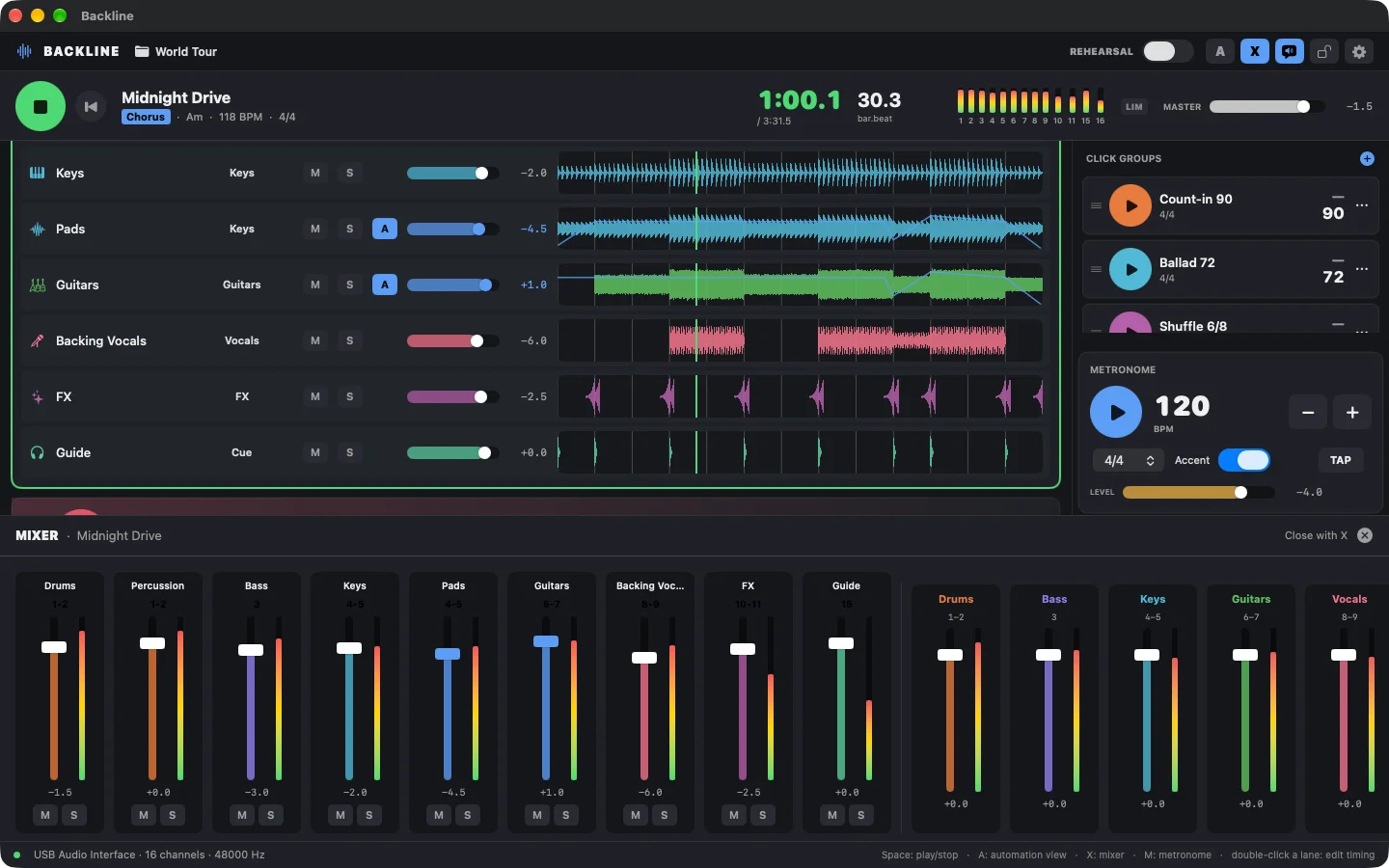
Real faders for every track, every output and the master, up to +12 dB. A per-channel peak limiter keeps hot stems from clipping your interface, and clip lights tell you where to look.

  • Track, output and master faders with live meters
  • Mute and solo per track
  • Limiter can be switched on or off in Settings
Backline mixer with track and output faders and live meters
Routing

Any interface. Any routing.

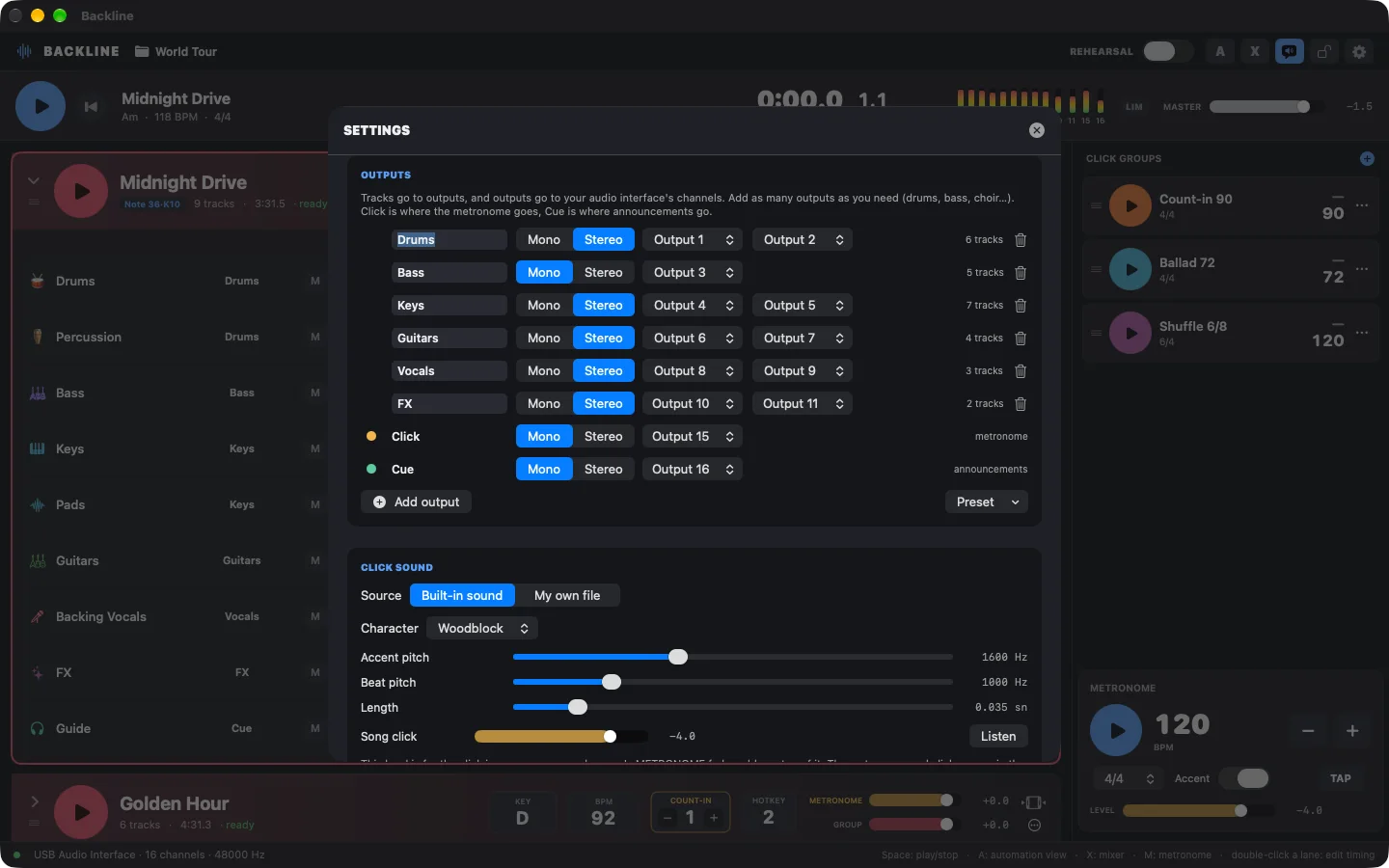
Create your own outputs — drums, bass, keys, vocals, choir, whatever your show needs — as mono or stereo on any of 2 to 256 channels. Files are routed automatically by name: “drums_kick.wav” goes to Drums.

  • Click and Cue are dedicated outputs that never reach the PA
  • Works on a simple 2-channel interface too
  • Optional exclusive access to the interface on Mac
Backline output settings: user-defined mono and stereo outputs mapped to interface channels
Timeline

Edit right on the timeline.

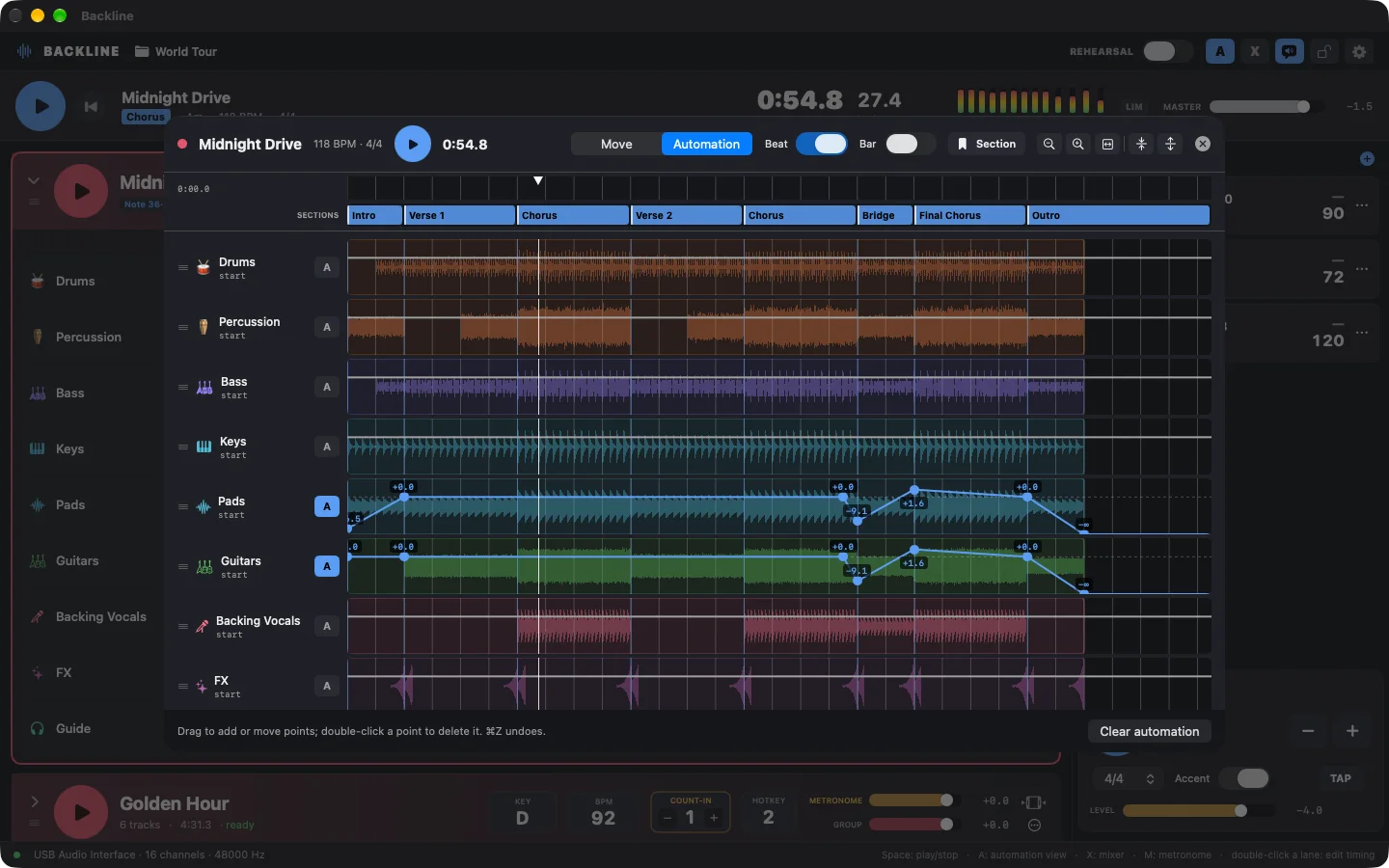
Fix a stem without going back to your DAW. Split and move clips, draw volume automation and mark every section of the song — intro, verse, chorus, bridge — with full undo.

  • Volume automation per track
  • Snap to bars and beats
  • Song sections for navigation and rehearsal
Backline timeline editor with section markers and volume automation
Stage

Made for the stage.

Rehearsal mode lets you start from any section with a count-in, while show playback stays untouched. On stage, a stage lock asks before anything interrupts a playing song.

  • Rehearsal mode with a count-in before any section
  • MIDI note, CC and program change triggers, keyboard hotkeys
  • Stage lock against accidental stops and project switches
Backline in rehearsal mode with the song list collapsed for the stage
How it works

From a folder of stems to a show in four steps.

Import your songs

Drop one folder per song. Every audio file becomes a track; tempo is read from the file name or WAV metadata.

Define your outputs

Add outputs that match your rig and pick their channels. Files are assigned by name and can be changed anytime.

Build the set

Order songs, set count-ins, keys and sections, add MIDI or keyboard triggers and click-only songs.

Play the show

Press space, tap a song or hit the pedal. Backline counts in, announces and plays — and moves on when you are ready.

Reliability

Built so the show goes on.

Playback software on stage has one job: never stop. Backline is designed around the things that go wrong at gigs.

Interface recovery

If the audio interface drops out or the system changes its configuration, Backline restarts its engine and resumes on the same device.

Stage lock

Switching songs, changing projects or quitting while a song plays always asks first. One stray key can’t end the show.

Loaded into memory

Stems are decoded into RAM before playback, with a memory budget that protects the rest of your system.

Private click & cue

Click and cue never fold into the mains — not even when you fall back to a 2-channel interface.

No clipping

A fast peak limiter on every output channel catches overs before they reach the PA.

Fully offline

No account, no sign-in, no network. Nothing to update or log into minutes before doors open.

Mac · iPad · iPhone

The same full app on every screen.

Run your main rig on a Mac, keep a backup on an iPad, or play a small gig from an iPhone with a USB interface. Every feature is on every device.

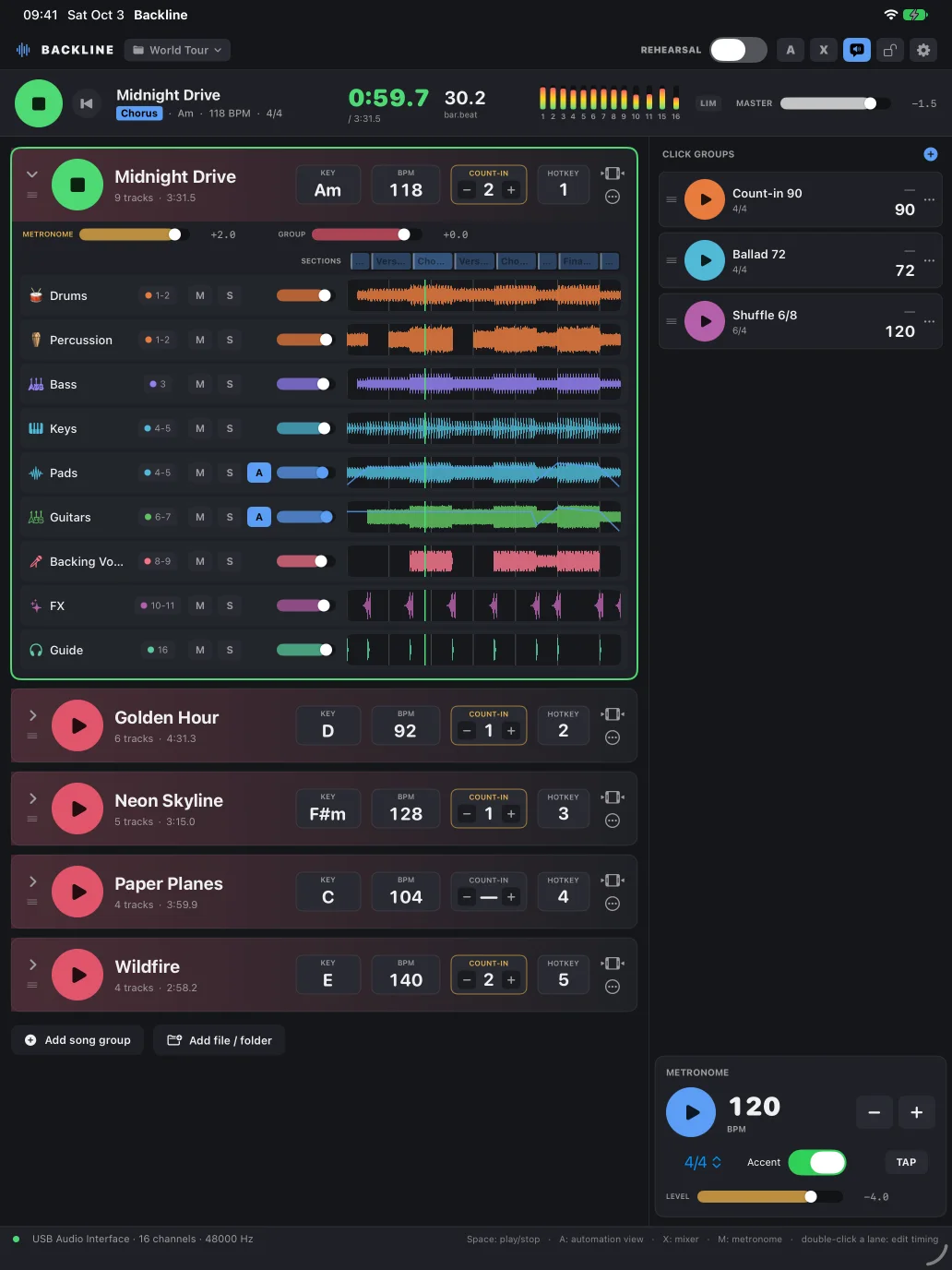
Backline on iPad in portrait
iPad
Backline on Mac
Mac
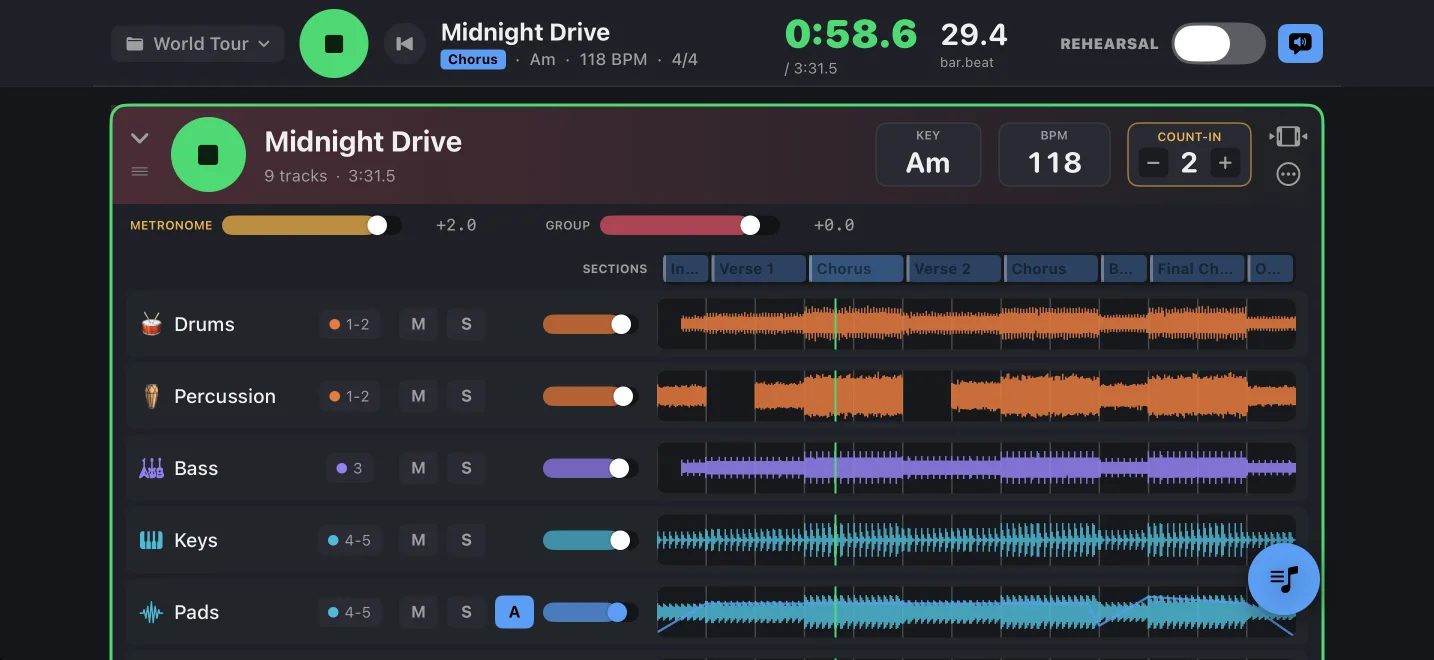
Backline on iPhone in landscape
iPhone (landscape)
Specifications

Technical details.

PlatformsmacOS 13 or later · iPadOS 17 or later · iOS 17 or later (landscape)
Audio interfacesAny Core Audio device on Mac; class-compliant USB interfaces on iPad and iPhone
OutputsUser-defined mono or stereo outputs on 2 to 256 channels; dedicated Click and Cue outputs
File formatsWAV, AIFF, CAF, FLAC, MP3, M4A
TimingSingle sample clock for stems, click and cues; per-song tempo, meter and count-in
MixerTrack, output and master faders from −60 to +12 dB; per-channel peak limiter (−0.5 dBFS ceiling)
ControlMIDI note, control change and program change; keyboard shortcuts
EditingSplit, move, volume automation, song sections, snap to grid, undo
LanguagesEnglish, Turkish
PrivacyNo account, no analytics, no data collected, works offline

No account. No tracking. No data collected.

Your songs and projects stay on your device. Backline doesn’t connect to any server. Read the privacy policy.

FAQ

Questions, answered.

What is Backline?

Backline is a live playback app for Mac, iPad and iPhone. It plays multitrack stems (backing tracks) together with a click and spoken cues, and sends each part to its own output on your audio interface, so the front-of-house engineer gets the stems while the band hears the click and cues in their in-ear monitors.

Does the audience hear the click or the count-in?

No. Click and cue are dedicated outputs. Count-ins, the metronome and spoken song names go only to those outputs, and Backline never folds them into the main outputs, even on a 2-channel interface.

Which audio interfaces does Backline support?

Any Core Audio interface on Mac and any class-compliant USB audio interface on iPad and iPhone. You create your own outputs and assign them to any of 2 to 256 channels.

Which audio file formats can I import?

WAV, AIFF, CAF, FLAC, MP3 and M4A. Drop a folder per song; Backline creates one track per file, assigns outputs by file name and reads the tempo from the file name or WAV metadata.

Can I trigger songs with a MIDI foot pedal?

Yes. Any song can be started by a MIDI note, control change or program change message, or by a keyboard shortcut. Use “Learn MIDI” in the song menu.

What happens if the audio interface disconnects during a show?

Backline detects the change, restarts the audio engine and resumes on the same interface as soon as it comes back. A stage lock also asks for confirmation before anything stops a playing song.

Does Backline need an internet connection or an account?

No. Backline works fully offline, has no account and does not collect any data. Your projects stay on your device.

Can I rehearse from the middle of a song?

Yes. Turn on rehearsal mode and tap any section — verse, chorus, bridge — to start there. Backline plays a count-in before the section so the band can come in together. Rehearsal mode never affects show playback.

Backline app icon

Run the show.

Backline for Mac, iPad and iPhone.